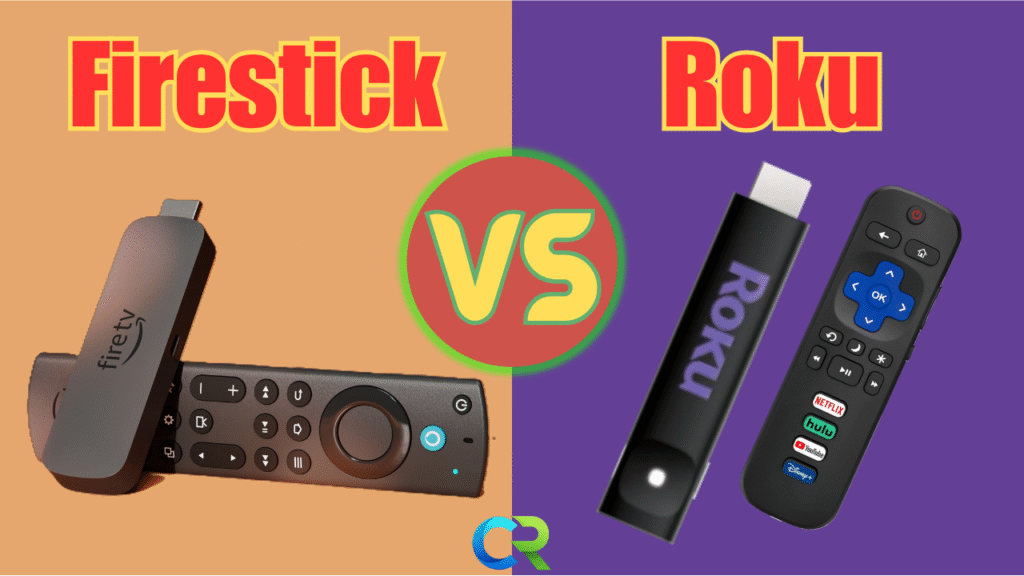
Roku vs Firestick 2025 – Which One Should You Buy?
🔥 Roku vs. Firestick in 2025: The Ultimate Streaming Showdown
Links Bellow are Affiliate Links, It Means if you make a purchase i may get a small commission with no cost to you!
The streaming wars continue to evolve, and the choice between a Roku device and an Amazon Fire TV Stick is tougher than ever in 2025. While both offer 4K, HDR, and access to all major services, the user experience—from interface to performance and privacy—is wildly different.
Roku or Fire Stick in 2025? If you are shopping for a new streaming device, the answer is not as simple as it used to be because this year Fire Stick change a lot, including tightening side loading and limiting access to some third-party apps. So, today I’ll break it down the real differences, the surprises, and which one you should buy.
We’ve broken down the key areas to help you decide which streamer deserves a spot on your TV.
welcome back to CReviewsTech. Mr. See here, I test every streaming device so you don’t have to waste money. Today, we comparing the Roku versus the Fire Stick speed, picture quality, privacy, apps, and the new side loading restrictions.
Let’s get into it.
1. Ease of Use: Simplicity vs. Complexity
⭐ Winner: Roku
If you want simple, clean, and stress-free, Roku is for you. The home screen is straightforward and the menus are easy and nothing is trying to sell you something every 5 seconds. Fire Stick is powerful, but the interface is busy. Amazon pushes Prime Video content hard and casual casual users might find it overwhelming. So, I’ll give this one to Roku.
2. Speed & Performance
⚡ Winner: Firestick
When it comes to raw performance, the Fire TV Stick 4K Max is still the fastest device under $50.
Apps load faster, animations are smoother, and it handles high-quality streams better than its Roku counterpart. If you frequently jump between heavy apps like YouTube, Netflix, or a live TV service, the Firestick’s superior processor and RAM make for a noticeably smoother transition.
While Roku is reliable and stable, it can feel a little slower when jumping between these demanding applications.
3. Picture Quality Controls
🎨 Winner: Roku
Here’s something most people don’t know that can drastically affect your viewing experience:
Three, picture quality controls. Your Roku Stick 4k or Roku Ultra gives you far more granular control over the final picture quality. You can disable motion smoothing, noise reduction, and adjust color modes right from the remote. The Fire Stick doesn’t give you picture settings. Those depend entirely on your TV. Not a big deal for some users, but a huge deal for people who want the best image.
So, winner, Roku
4. Privacy & Tracking
🔐 Slight Edge: Firestick (If You Adjust Settings)
four, privacy and tracking. Out of the box, both devices collect data, a lot of it. But Firestick gives you more privacy toggles to turn off tracking and limited uh personalized ads. Roku has fewer options and fewer ways to limit data collection. So, winner, FireStick.
- Firestick: Navigate to Preferences → Privacy Settings to find multiple options for disabling data collection.
- Roku: Roku has fewer public-facing options in its Privacy → Advertising menu, offering fewer ways for the user to limit the data being collected about their viewing habits.
5. Apps & Flexibility
🧩 New for 2025: Firestick Takes a Hit
This section marks the biggest change in the 2025 landscape for power users.
Five, apps and flexibility. New for 2025, FireStick took a hit here. Before 2025, FireStick was the clear winner for advanced users. Sideloading apps like Smart Tube Next, Apptoid, and third party media tools was easy. But this year, Amazon added new restrictions. Side loading still works, but certain apps trigger warnings. Some won’t launch, and Amazon is cracking down on anything outside the app store. Plus the new Devices from now on are coming with the VEGA OS and not the old Reliable Android Open Source Project (AOSP). VEGA OS doesn’t allow sideloading.
If you are someone who relies on third-party apps, alternative app stores, or tools not officially sanctioned by the platform, Firestick isn’t the wild west it used to be. While Roku remains locked down and predictable, the new unpredictability on the Firestick platform is a major factor for advanced users.
but since you can still sideload, I’m going to give this wing to the Fire Stick. Anyways.
6. Smart Home & Extras
🔊 Winner: Firestick
If you are integrated into the Amazon ecosystem—meaning you use Alexa, Ring cameras, and Echo devices—the Firestick integrates perfectly.
The Fire TV platform can be a full-fledged smart home command center. You can view a Ring doorbell pop-up, check a live camera feed , and control lights or thermostats all using the Alexa voice remote or hands-free (on the Fire TV Cube). Roku offers some smart home features, but nowhere near the deep, seamless integration provided by Firestick.
So, the winner here will be the Fire Stick.

🏆 FINAL VERDICT: Which One Should You Buy?
So, we come to the end. Time to choose the winner. And for me, it’s the Fire Stick because it has more power, it has more storage, it has more flexibility, and it works better even though it has all the ads and the side loading restrictions, but the side loading still works. So, I’ll give this to the Fire Stick. But the Roku, it’s simple, easy, and it works, and it works well.
Choosing between the two in 2025 comes down to a clear fork in the road: prioritize Performance and Smart Home or prioritize Simplicity and Control.
| Choose Firestick If… | Choose Roku If… |
| You want the fastest streaming performance. | You want a simple, ad-free, clean user interface. |
| You are deep into the Amazon Alexa or Ring ecosystem. | You prioritize picture quality controls (disabling motion smoothing, etc.) |
| You need a device that can also act as a smart home hub. | You need stable, reliable access to every major streaming app. |
| You don’t mind a content-heavy, busier home screen. | You are a casual user who wants a stress-free, plug-and-play experience. |
So, which one you should get? I would say get the Fire Stick if you like the side loading and you like the power it has. Get the Roku if you like the system and you are used to it and you want something simple, clean, and it works. So, there you go. So, hopefully this helped make your decision easier.
The Honest Bottom Line:
- Most People Should Choose Firestick: Even with the new sideloading restrictions, the Firestick 4K Max is the better device for most people who value speed, power, and deep smart home integration.
- Choose Roku If: You are not using third-party apps, demand picture control, and cannot stand ads or a cluttered interface.
👉 Best Streaming Devices
➡️Roku Stick 4k
➡️Roku Ultra
➡️Firestick 4K Max
➡️Fire Cube
➡️Ring Doorbell
➡️Echo Dot
🔐 Protect Your Streaming & Unlock Region-Free Apps NordVPN
🛒 Recommended Streaming Devices
- Fire TV Stick HD
- Fire TV Stick 4K Select
- Fire TV Stick 4K Plus
✅ Google TV Streamer 4K – Reliable
✅ NVIDIA Shield TV Pro – Full sideload
🧰 My Favorite Accessories